
Have you ever wondered if your CD-RW discs will play in your car stereo? You’re not alone.
Many people ask this because they want to enjoy their custom playlists on the road without hassle. But the truth can be surprising. Understanding how CD-RWs work in car stereos can save you frustration and help you make the most of your music collection.
Keep reading to discover what you need to know before you hit play.
Credit: www.ebay.com
Cd-rw Basics
Understanding CD-RW basics is important before using them in car stereos. These discs are a type of compact disc that can be written, erased, and rewritten multiple times. They offer flexibility for storing music or data.
Many people wonder if CD-RWs work in car stereos. Knowing what CD-RWs are and how they differ from other discs helps answer this question clearly.
What Is Cd-rw
CD-RW stands for Compact Disc ReWritable. It allows users to record data more than once. You can erase old content and add new files easily. This makes CD-RWs useful for updating playlists.
Unlike regular CDs, CD-RWs use a special dye that changes with heat. This change lets the disc be rewritten. CD-RWs usually hold up to 700 MB or 80 minutes of audio.
How Cd-rw Differs From Cd-r
CD-R stands for Compact Disc Recordable. You can write data only once on these discs. After recording, the content cannot be erased or changed.
CD-RWs offer the ability to rewrite data many times. CD-Rs are cheaper but less flexible. Car stereos often support CD-Rs better than CD-RWs.
CD-RWs need a compatible player for reading rewritable discs. CD-Rs work in almost all CD players without issues.
Car Stereo Compatibility
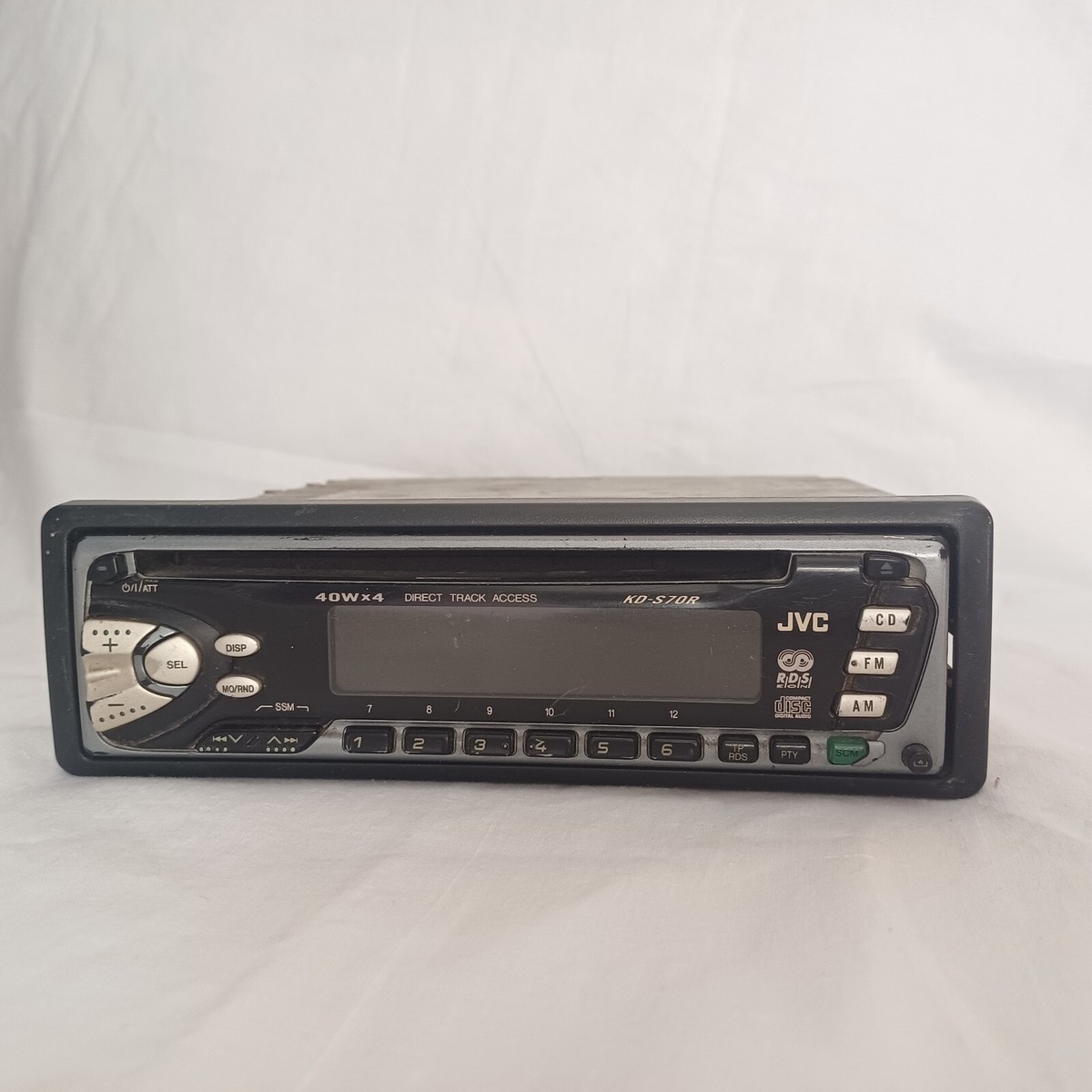
Car stereos support different types of CDs. Not all discs work well in every player. Understanding compatibility helps avoid playback problems.
Many car stereos accept standard audio CDs and some data discs. The ability to read rewritable CDs depends on the stereo model and its technology.
Common Cd Formats Supported
Most car stereos play CD-DA, the classic audio CD format. They also support CD-R, which are recordable once. Some models can read CD-RW, the rewritable discs.
CD-RW discs hold music but need more laser power to read. Many newer stereos handle CD-RW better than older ones. MP3 CDs are popular and widely supported too.
Why Some Stereos Reject Cd-rw
CD-RW discs have a different surface than regular CDs. This difference can confuse some car stereo lasers. Older or basic models often cannot read CD-RWs.
Laser sensitivity and disc reflectivity affect playback. CD-RWs reflect less light, causing reading errors. Some players only support pressed CDs and CD-R, not rewritable types.
Firmware and hardware also influence compatibility. Updating the stereo firmware can improve CD-RW support. Still, not all car stereos are designed for rewritable discs.
Playback Issues
Using CD-RWs in car stereos can cause some playback issues. These problems often affect how well the disc plays and the sound you hear. Understanding these issues helps you decide if CD-RWs are right for your car stereo.
Read Errors And Skipping
Car stereos may have trouble reading CD-RW discs. The laser in many car players struggles with the lower reflectivity of CD-RWs. This can cause read errors or skipping during playback. Skipping interrupts music and makes it less enjoyable. Older car stereos are more likely to skip CD-RWs. Newer models handle CD-RWs better but still may have occasional problems.
Sound Quality On Cd-rw
Sound quality on CD-RWs can be slightly lower than on regular CDs. The recording process of CD-RWs sometimes causes small audio distortions. These distortions might not be noticeable on all car stereos. High-end systems may reveal more differences in sound clarity. Still, many listeners find the difference small and acceptable for casual listening.

Credit: www.amazon.com
Tips For Using Cd-rw In Cars
Using CD-RW discs in car stereos can be tricky without the right approach. These discs allow you to rewrite music, but some cars may struggle to read them. Following simple tips can improve your experience and reduce playback issues.
Proper handling of CD-RW discs ensures better sound and longer disc life. Small changes in how you burn and format your discs make a big difference.
Choosing The Right Burn Speed
Burn speed affects how well your car stereo reads the CD-RW. Slow speeds, like 4x or 8x, create more reliable discs. Fast burning can cause errors and skips during playback. Use a moderate speed for better compatibility with most car players.
Formatting Best Practices
Format CD-RW discs fully before adding music. Quick formatting may leave data that confuses your car stereo. Use your computer’s disc utility for a full erase and format. Organize songs in simple folders without complex file names. Avoid mixing too many file types on one disc.
Alternatives To Cd-rw
Many car stereos do not support CD-RW discs well. This causes playback problems and frustration. Luckily, there are other options to play music in your car. These alternatives work better and are easier to use.
Choosing the right method can improve your driving experience. It keeps your music clear and your ride enjoyable. Below are two popular alternatives to CD-RW discs.
Using Usb And Bluetooth
USB drives are a simple way to play music in cars. Just copy your songs onto a USB stick. Plug it into the car’s USB port, and the stereo reads your files quickly. Most car stereos support common audio formats like MP3 and WAV.
Bluetooth lets you play music wirelessly from a phone or tablet. Pair your device with the car stereo once. Then, stream your favorite playlists without any cables. Bluetooth works well for hands-free calls too.
Switching To Cd-r Or Mp3 Discs
CD-R discs are more reliable than CD-RWs for car stereos. They are less likely to skip or fail during playback. Burn your music onto CD-R discs for better compatibility.
MP3 discs are another option. They hold many songs on one CD by using compressed audio files. Most modern car stereos can read MP3 discs easily. This saves space and lets you carry more music.
:max_bytes(150000):strip_icc()/3349569471_ebcaa14685_o-56a1042f3df78cafdaa7db95-afd4c4d1d93346a29a92631f79ec2576.jpg)
Credit: www.lifewire.com
Frequently Asked Questions
Do Car Stereos Support Cd-rw Discs?
Most car stereos do not support CD-RW discs. They are designed for standard CD-R or factory-pressed CDs. CD-RW discs use a different recording technology that many car players can’t read properly, leading to playback issues or no recognition at all.
Can Cd-rw Discs Be Played In All Car Stereos?
No, not all car stereos can play CD-RW discs. Compatibility depends on the stereo’s laser and firmware. Older models usually lack support, while some newer stereos may handle them. Always check your car stereo’s specifications to confirm CD-RW compatibility.
Why Won’t My Car Stereo Read Cd-rw Discs?
Your car stereo may not read CD-RW discs because it lacks the right laser technology. CD-RWs reflect less light than standard CDs, causing reading errors. Also, low-quality burned discs or incorrect formatting can cause playback failures in car stereos.
Are Cd-rw Discs Better Than Cd-r For Car Use?
CD-R discs are generally better for car use than CD-RWs. CD-Rs are more widely supported and more reliable in playback. CD-RWs offer reusability but often face compatibility issues with car stereos, making CD-Rs the safer choice for music in vehicles.
Conclusion
Car stereos often do not support CD-RW discs well. Many players only read regular CDs or CD-Rs. CD-RWs may skip or fail to play entirely. Testing your car stereo with a CD-RW can help you know for sure. Using regular CDs is usually safer for smooth playback.
Remember, technology varies among car stereo models. Choosing the right disc type improves your listening experience. Simple steps avoid frustration on the road.