
Want to enjoy wireless music and hands-free calls in your car but don’t know how to add Bluetooth to your stereo? You’re in the right place.
Installing Bluetooth in your car stereo might sound tricky, but it’s easier than you think. In this guide, you’ll discover simple, step-by-step instructions to upgrade your ride without breaking the bank or needing a tech degree. Keep reading, and by the end, you’ll have the confidence to connect your phone and drive safer and smarter.
Choosing The Right Bluetooth Kit
Choosing the right Bluetooth kit is key to a smooth car stereo upgrade. The kit must fit your car and meet your audio needs. Picking the best option saves time and avoids extra costs. Consider the type, compatibility, and price before buying.
Types Of Bluetooth Adapters
There are several types of Bluetooth adapters for car stereos. FM transmitters send audio through radio signals. They work with most cars but may have static noise. AUX adapters connect directly to the stereo’s AUX port. They offer clear sound but need an AUX input. USB adapters plug into the car’s USB port. These provide power and good audio quality. Choose the type that fits your stereo and preferences.
Compatibility With Car Models
Not all Bluetooth kits work with every car model. Check if the kit suits your car’s stereo system. Some kits are made for specific brands or models. Others work with any car that has AUX or USB ports. Verify the kit’s compatibility before buying. This prevents installation issues and ensures good performance.
Budget Considerations
Bluetooth kits come in a range of prices. Basic models are affordable but may lack extra features. Higher-end kits offer better sound and more functions. Set a budget before shopping. Focus on features that matter most to you. Balance cost with quality to get the best value.
Tools And Materials Needed
Installing Bluetooth on your car stereo needs some basic tools and materials. Having the right equipment makes the job easier and safer. You will avoid damage to your car or stereo system. Prepare everything before you start the installation. This saves time and frustration.
Essential Tools
A screwdriver set is key for removing the stereo and panels. Use a wire stripper to prepare wires for connection. A multimeter helps check electrical connections and avoid mistakes. Electrical tape or heat shrink tubing protects and insulates wires. A panel removal tool prevents damage to dashboard parts. A Bluetooth adapter or module is necessary for the upgrade.
Optional Accessories
Use zip ties to keep wires neat and secure. A soldering iron can create stronger wire connections. Extra connectors or crimp terminals help join wires easily. A fuse tap adapter adds safety to your wiring setup. A user manual for your car stereo guides the process clearly.
Preparing Your Car Stereo
Preparing your car stereo is the first step to install Bluetooth. It helps make the process smooth and safe. You need to remove the stereo unit carefully. Then, check all the wiring and connections. This ensures the new Bluetooth device works well with your car.
Removing The Stereo Unit
Start by turning off your car and disconnecting the battery. This prevents any electrical issues. Use the right tools to remove the trim around the stereo. Be gentle to avoid breaking clips or panels. Find the screws or bolts holding the stereo. Unscrew them and slowly pull out the stereo unit. Keep all screws safe for later use.
Checking Wiring And Connections
Look at the wires behind the stereo. Check if any wires are loose or damaged. Make sure all connections are clean and tight. Look for the car’s wiring harness and antenna plug. These will connect to your Bluetooth adapter. Fix any damaged wires before installing Bluetooth. This step helps avoid problems after installation.
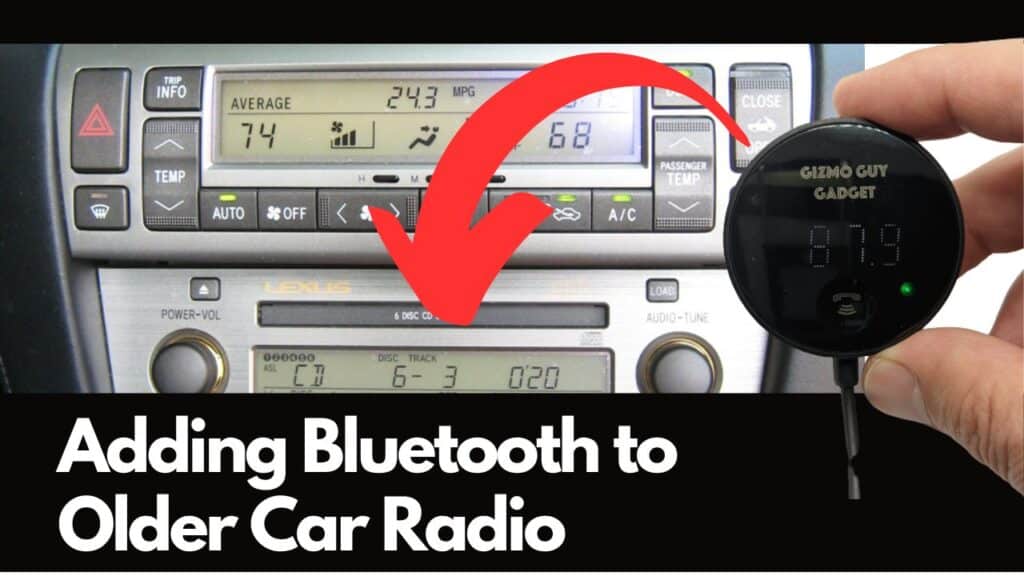
Credit: www.gizmoguygadgets.com
Installing The Bluetooth Adapter
Installing the Bluetooth adapter is a key step to add wireless audio to your car stereo. The adapter connects your phone to the stereo system. This allows you to play music or take calls without wires. Follow these steps carefully to set up the adapter correctly.
Wiring The Adapter To Power
First, find a power source for the adapter. Usually, this is the car’s fuse box or the stereo’s power wires. Use a multimeter to check for 12V power. Connect the adapter’s red wire to the positive power wire. Connect the black wire to a good ground point. Secure the connections with electrical tape or wire connectors.
Connecting To The Stereo
Next, connect the adapter to your car stereo. Locate the stereo’s audio input or AUX port. Some adapters use RCA cables, others use a 3.5mm jack. Plug the adapter’s audio output into the stereo input. Make sure the connection is tight to avoid sound issues. Check the stereo manual if you need help identifying the correct ports.
Securing The Adapter
Finally, find a safe spot to place the adapter. Avoid areas with moving parts or heat sources. Use double-sided tape or zip ties to hold the adapter in place. Keep the wires neat and away from sharp edges. This prevents damage and keeps your installation clean. Test the setup by playing music from your phone to the stereo.
Pairing Bluetooth With Devices
Pairing Bluetooth with your car stereo lets you play music and take calls wirelessly. The process is simple and quick. Follow the steps carefully to connect your devices without any trouble.
Activating Bluetooth Mode
First, turn on your car stereo. Find the Bluetooth button or menu on the stereo screen. Press the Bluetooth option to activate pairing mode. The stereo will now be visible to your phone. Usually, a blinking light shows the stereo is ready to pair.
Connecting Your Phone
Open the Bluetooth settings on your phone. Make sure Bluetooth is turned on. Look for your car stereo name in the list of available devices. Tap the name to start pairing. You may need to enter a code shown on the stereo display. Once connected, your phone will say “Connected” or “Paired.”
Troubleshooting Connection Issues
If your phone does not find the stereo, check if Bluetooth is on both devices. Restart your phone and stereo. Make sure no other device is connected to the stereo. Delete old Bluetooth connections on your phone. Try pairing again after a few seconds.

Credit: www.youtube.com
Testing And Adjusting Settings
After installing Bluetooth on your car stereo, testing and adjusting settings is crucial. This step ensures clear sound and smooth control. It helps you enjoy music and calls without interruption.
Start by playing different audio types. Check for any issues like static or delays. Adjust settings to match your preferences and car environment. This process improves your overall Bluetooth experience.
Audio Quality Check
Play a variety of songs to test sound clarity. Listen for any crackling, cutting out, or low volume. Try both music and phone calls for a full check. Clear sound means your Bluetooth works well.
If sound is poor, check the Bluetooth connection strength. Move your phone closer to the stereo if needed. Restart the connection to fix temporary glitches. Proper audio quality makes your drive enjoyable.
Adjusting Volume And Controls
Set the volume to a comfortable level for driving. Make sure the stereo volume and phone volume match well. Test the steering wheel controls if your car has them. They should work smoothly with the Bluetooth system.
Adjust bass, treble, and balance settings for better sound. Small tweaks can make music sound richer and clearer. Confirm all buttons and voice commands respond correctly. Proper control setup makes using Bluetooth easy and safe.
Maintaining Your Bluetooth System
Maintaining your Bluetooth system in the car stereo keeps it working well. A well-kept system lasts longer and avoids connection problems. Small efforts can prevent big issues and improve sound quality.
Regular Updates
Check for software updates often. Updates fix bugs and add new features. Use the car’s manual or app to find update options. Install updates when the car is parked. This keeps your Bluetooth running smoothly.
Cleaning And Care Tips
Keep the stereo and controls clean. Use a soft cloth to wipe dust and dirt. Avoid harsh chemicals that can damage surfaces. Clean the microphone area gently to keep voice clear. Regular care helps maintain good sound and connection quality.
Credit: www.reddit.com
Frequently Asked Questions
How Do I Add Bluetooth To My Car Stereo?
You can add Bluetooth by installing a Bluetooth adapter or replacing the stereo with a Bluetooth-enabled model. Adapters plug into your existing system, while new stereos offer built-in Bluetooth features for seamless connectivity and hands-free calls.
What Tools Are Needed To Install Bluetooth In A Car Stereo?
You generally need basic tools like screwdrivers, wire strippers, electrical tape, and sometimes a wiring harness adapter. These tools help safely remove the old stereo and connect the new Bluetooth device without damaging your car’s wiring.
Can I Install Bluetooth On Any Car Stereo?
Most car stereos can support Bluetooth via adapters or replacement units. However, very old or basic models might require complete stereo replacement to enable Bluetooth functionality.
How Long Does It Take To Install Bluetooth In A Car Stereo?
Installing Bluetooth usually takes 30 minutes to an hour. Time depends on your experience, stereo type, and whether you use an adapter or replace the entire unit.
Conclusion
Installing Bluetooth on your car stereo is simple and useful. You can enjoy hands-free calls and music easily. Follow each step carefully to avoid mistakes. Check your car stereo model first for the right Bluetooth kit. Take your time with wiring and connections.
Test the system before finishing the installation. Now, your drives will be safer and more fun. Enjoy wireless freedom and better sound quality every trip.